
5 KiB
Veritas Kanban v6 Visual Tour
This tour points to release-safe v6 runtime views for provider support, Buzz integration, approvals, and run evidence. The general board, desktop shell, Workbench, Squad Chat, Maintenance, and mobile/PWA layouts remain represented by the retained v5 Visual Tour and its dummy-data assets.
Documentation freshness: 2026-07-24 for Veritas Kanban 6.0.1. The retained screenshots cover the unchanged v6 provider and Buzz surfaces; 6.0.1 stabilization behavior is documented in the release notes and evidence packet.
Provider Support
Settings -> Agents shows the normalized support tier, installed version/build,
configuration readiness, certification freshness, limitations, and
remediation from the same harness-support-profile/v1 and
harness-compatibility-matrix/v1 records used by vk doctor --json, API
diagnostics, dispatch, and telemetry.
The release capture must use dummy profile names and contain no login state, environment values, provider output, private paths, or credentials.

Expected visible behavior:
- Buzz, Grok Build, Codex app-server, Claude Code, and GitHub Copilot CLI show their reviewed exact build and source-availability caveat.
- Disabled installed profiles read Detected rather than Certified.
- Stale/unknown builds read Degraded or Unsupported with an actionable reason.
- Provider controls unsupported by the current manifest are not presented as silently available.
Buzz Integration
Settings -> Notifications -> Buzz Connection keeps relay communication separate from Buzz Agent execution. The connection view exposes reference-only URLs, public identity, environment-variable references, compatibility facets, one-channel mappings, definition preview/import, trigger rules, and bounded audit state.

Expected visible behavior:
- private keys and auth tags appear only as environment reference names;
- compatibility failure disables delivery;
- persona/team import is preview-first and creates disabled objects;
- workflow triggers accept root
message.postedonly; - replay, reply, edit, delete, reaction, echo, and disabled-rule dispositions are visible without launching duplicate workflow runs.
Approval And Run Evidence
Task Detail and shared-run views project the causal run-event/v1 journal,
exact-action approval requests, conversation lifecycle controls, tool/MCP
evidence, worktree/launch identity, usage, artifacts, and authoritative
completion result.
No public-safe approval was active in the isolated release profile. The text contract below is retained instead of fabricating a passing approval state.
Expected visible behavior:
- approval copy identifies the exact action and risk without showing secret values;
- stale, expired, changed, cancelled, or already-decided requests cannot be approved;
- resume, steer, fork, compact, archive, interrupt, and close appear only when current provider evidence supports them;
- reconnect replays causal events by cursor without duplicating completion;
- mobile-safe questions remain separate from filesystem, command, network, permission, and MCP approval.
Retained v5 Shell Views
The v6 harness work does not replace the established board, desktop shell, Workbench, Squad Chat, Maintenance, or mobile/PWA layout. These release-safe dummy captures remain applicable:
| Surface | Retained capture |
|---|---|
| Board to workflow |  |
| Desktop shell |  |
| Agent provider settings foundation |  |
| Workbench |  |
| Squad Chat | 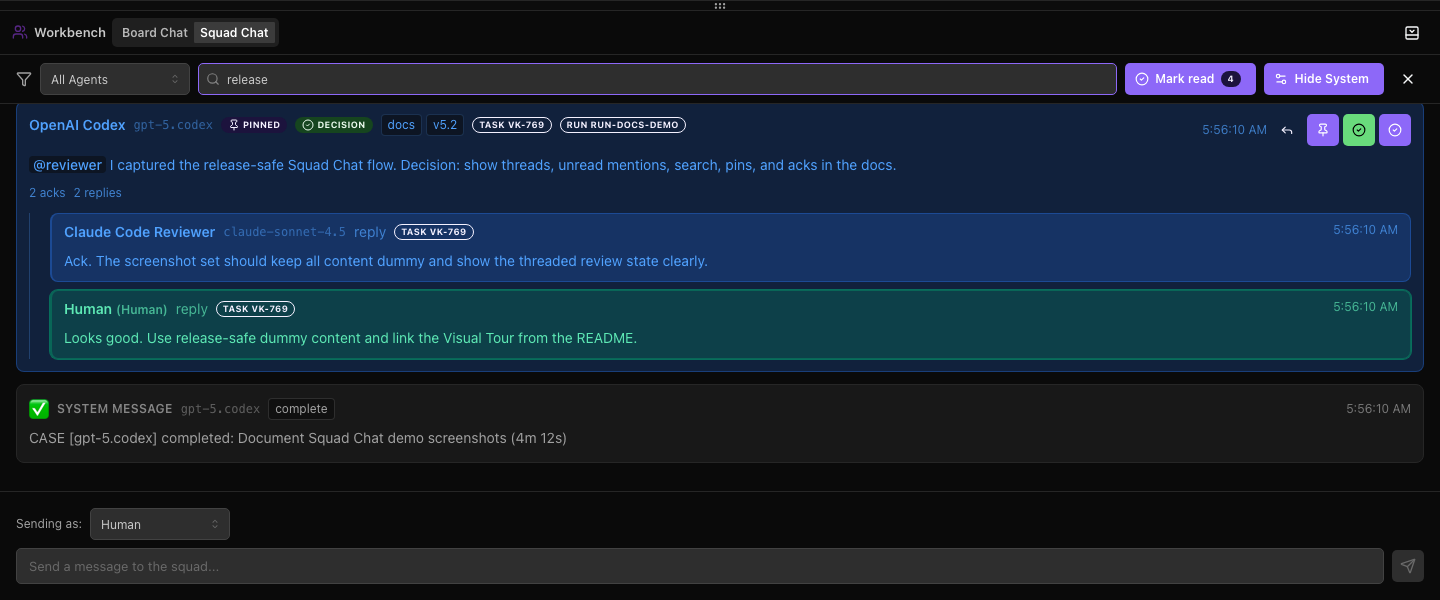 |
| Task work view |  |
| Maintenance |  |
Capture Rules
Before publication, retain only verified v6 screenshots captured from an isolated runtime without private data. If a state cannot be safely produced, retain the text contract and record the missing visual evidence in the release packet rather than fabricating a screenshot.
Capture desktop dark/light and compact widths where the state materially changes. Verify keyboard focus, labels, contrast, and recoverable error copy. Never capture credentials, private provider conversations, relay events, tokens, local user paths, or unrestricted diagnostics.