 e508eaf3df
* Fix code index secret persistence with async VSCode storage - Add async secret methods to CodeIndexConfigManager - Implement direct VSCode secret storage access bypassing ContextProxy cache - Update loadConfiguration to use async secret loading - Modify webview message handler to use new async secret storage - Add public secret methods to CodeIndexManager - Enhance debugging throughout secret flow This fixes the issue where API keys were saved but not loaded immediately into services due to ContextProxy cache synchronization issues. * Fix code index secret persistence and test failures - Add async secret handling to CodeIndexConfigManager with new methods: - getSecretAsync(), storeSecretAsync() for individual secrets - loadSecretsAsync(), storeSecretsAsync() for batch operations - Update doesConfigChangeRequireRestart() to check OpenAI Compatible modelDimension changes - Fix all failing tests by using setupSecretMocks() helper consistently - Update manager.spec.ts to properly mock _recreateServices to avoid real service creation This ensures API keys and other secrets are properly loaded from VSCode's async secret storage and that configuration changes requiring service restart are correctly detected. * feat: improve code index settings secret handling in UI - Show placeholder dots (••••••••••••••••) in password fields when secrets are already set - Only send modified secret fields to prevent overwriting existing secrets with empty values - Track which fields have been modified by the user - Add requestCodeIndexSecretStatus message handler to check if secrets exist - Fix console.log to handle empty string keys without errors - Ensure changing one setting doesn't clear other unmodified secrets * refactor: disconnect code index from unified settings system - Rename handleExternalSettingsChange to handleSettingsChange for clarity - Remove handleSettingsChange call from ClineProvider (not related to code index) - Remove codebaseIndexConfig from general settings save in SettingsView - Delete unused codebaseIndexConfig message handler - Remove codebaseIndexConfig from WebviewMessage type definition - Code index settings are now fully independent with their own dedicated UI * feat: separate code index enable/disable from indexing settings - Move 'Enable codebase indexing' toggle to global settings in Experimental section - Keep indexing-specific settings (API keys, URLs, models) in dedicated Code Index Settings component - Add codebaseIndexEnabled handler to webview message handler - Update translations with new settings title and disabled message - Ensure code index service properly responds to enable/disable changes - Maintain backward compatibility with existing codebaseIndexConfig structure * refactor: remove ContextProxy.getVSCodeContext() and pass ExtensionContext directly - Updated CodeIndexConfigManager to accept vscode.ExtensionContext in constructor - Modified CodeIndexManager to pass context directly to CodeIndexConfigManager - Updated webviewMessageHandler to use provider.context.secrets directly - Removed getVSCodeContext() method from ContextProxy - Updated all related tests to reflect these changes - Fixed CodeIndexSettings webview tests after UI changes * refactor: streamline secret handling by removing async methods and utilizing ContextProxy directly * feat: translations and popover component * refactor: simplify test mocks and improve checkbox handling in CodeIndexSettings tests * refactor: remove debug logging from CodeIndexConfigManager, CodeIndexManager, CodeIndexServiceFactory, and QdrantVectorStore * fix: merge missing translation keys from main after rebase - Add advancedConfigLabel, searchMinScoreLabel, searchMinScoreDescription, searchMinScoreResetTooltip keys - Update startIndexingButton and clearIndexDataButton labels to match main - Preserve all CodeIndexPopover translations added in this PR * Revert "fix: merge missing translation keys from main after rebase" This reverts commit beb1de4924ac1475731fcd06d994ddb96eb1e5fd. * fix: add missing translation keys from main branch after rebase - Added codeIndex.advancedConfigLabel - Added codeIndex.searchMinScoreLabel - Added codeIndex.searchMinScoreDescription - Added codeIndex.searchMinScoreResetTooltip These keys exist on main but were missing from non-English locales after rebase. * fix: remove clickIndicatorMessage, fix toggle message type, and clean up translation key inconsistencies * refactor: streamline settings management in CodeIndexPopover and improve secret handling * refactor: remove debug logging from configuration checks in CodeIndexConfigManager and webviewMessageHandler * fix: translations * refactor: remove CodeIndexSettings component and associated tests |
||
|---|---|---|
| .changeset | ||
| .github | ||
| .husky | ||
| .roo | ||
| .vscode | ||
| apps | ||
| locales | ||
| packages | ||
| scripts | ||
| src | ||
| webview-ui | ||
| .dockerignore | ||
| .env.sample | ||
| .git-blame-ignore-revs | ||
| .gitattributes | ||
| .gitconfig | ||
| .gitignore | ||
| .nvmrc | ||
| .prettierrc.json | ||
| .rooignore | ||
| .roomodes | ||
| .tool-versions | ||
| CHANGELOG.md | ||
| CODE_OF_CONDUCT.md | ||
| CONTRIBUTING.md | ||
| ellipsis.yaml | ||
| knip.json | ||
| LICENSE | ||
| package.json | ||
| pnpm-lock.yaml | ||
| pnpm-workspace.yaml | ||
| PRIVACY.md | ||
| README.md | ||
| renovate.json | ||
| SECURITY.md | ||
| turbo.json | ||
English • Català • Deutsch • Español • Français • हिंदी • Bahasa Indonesia • Italiano • 日本語
한국어 • Nederlands • Polski • Português (BR) • Русский • Türkçe • Tiếng Việt • 简体中文 • 繁體中文
Roo Code (prev. Roo Cline)
Connect with developers, contribute ideas, and stay ahead with the latest AI-powered coding tools.






Roo Code is an AI-powered autonomous coding agent that lives in your editor. It can:
- Communicate in natural language
- Read and write files directly in your workspace
- Run terminal commands
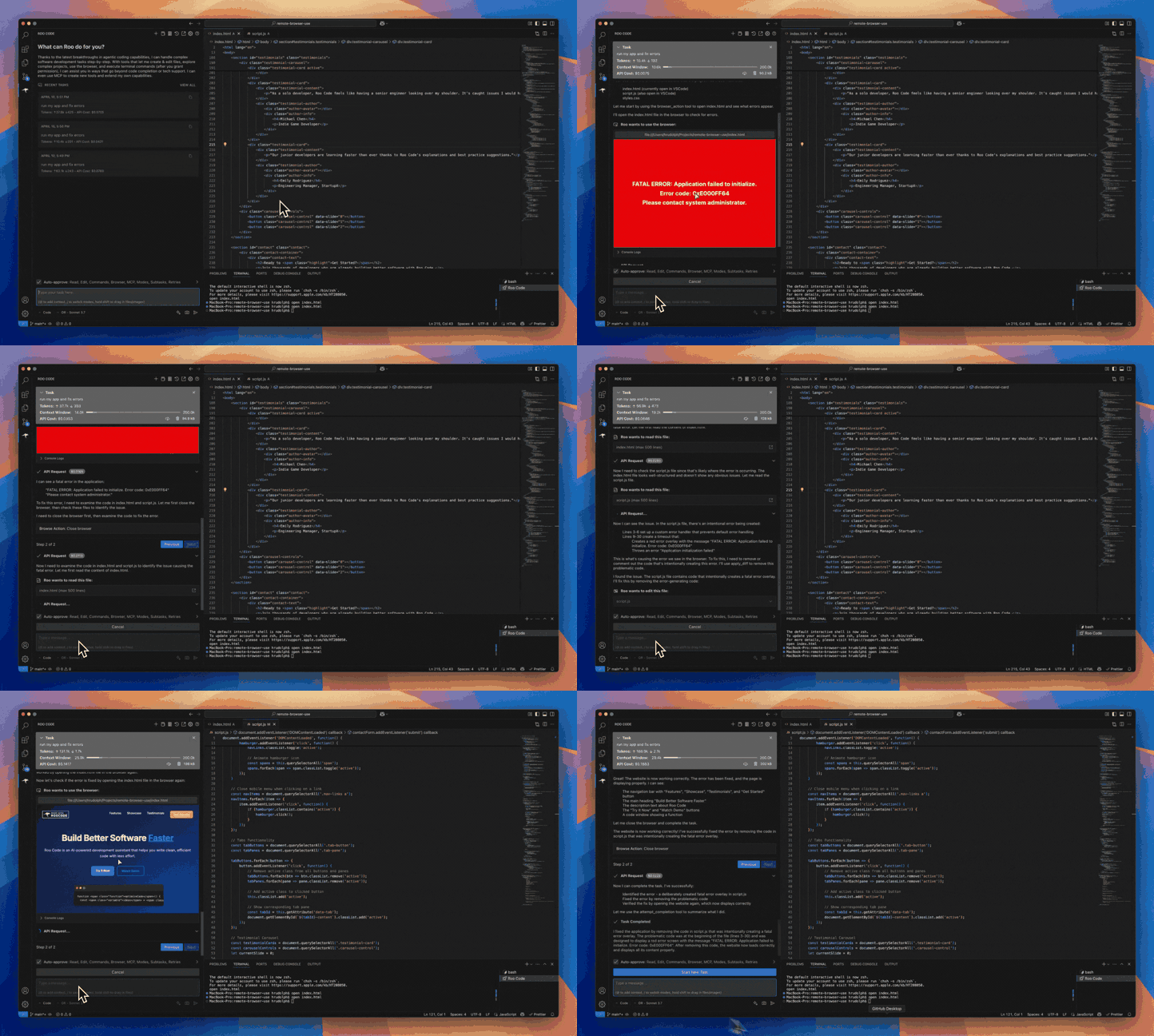
- Automate browser actions
- Integrate with any OpenAI-compatible or custom API/model
- Adapt its “personality” and capabilities through Custom Modes
Whether you’re seeking a flexible coding partner, a system architect, or specialized roles like a QA engineer or product manager, Roo Code can help you build software more efficiently.
Check out the CHANGELOG for detailed updates and fixes.
🎉 Roo Code 3.22 Released
Roo Code 3.22 brings powerful new features and significant improvements to enhance your development workflow!
- 1-Click Task Sharing - Share your tasks instantly with colleagues and the community with a single click.
- Global .roo Directory Support - Load rules and configurations from a global .roo directory for consistent settings across projects.
- Improved Architect to Code Transitions - Seamless handoffs from planning in Architect mode to implementation in Code mode.
What Can Roo Code Do?
- 🚀 Generate Code from natural language descriptions
- 🔧 Refactor & Debug existing code
- 📝 Write & Update documentation
- 🤔 Answer Questions about your codebase
- 🔄 Automate repetitive tasks
- 🏗️ Create new files and projects
Quick Start
Key Features
Multiple Modes
Roo Code adapts to your needs with specialized modes:
- Code Mode: For general-purpose coding tasks
- Architect Mode: For planning and technical leadership
- Ask Mode: For answering questions and providing information
- Debug Mode: For systematic problem diagnosis
- Custom Modes: Create unlimited specialized personas for security auditing, performance optimization, documentation, or any other task
Smart Tools
Roo Code comes with powerful tools that can:
- Read and write files in your project
- Execute commands in your VS Code terminal
- Control a web browser
- Use external tools via MCP (Model Context Protocol)
MCP extends Roo Code's capabilities by allowing you to add unlimited custom tools. Integrate with external APIs, connect to databases, or create specialized development tools - MCP provides the framework to expand Roo Code's functionality to meet your specific needs.
Customization
Make Roo Code work your way with:
- Custom Instructions for personalized behavior
- Custom Modes for specialized tasks
- Local Models for offline use
- Auto-Approval Settings for faster workflows
Resources
Documentation
Community
- Discord: Join our Discord server for real-time help and discussions
- Reddit: Visit our subreddit to share experiences and tips
- GitHub: Report issues or request features
Local Setup & Development
- Clone the repo:
git clone https://github.com/RooCodeInc/Roo-Code.git
- Install dependencies:
pnpm install
- Run the extension:
There are several ways to run the Roo Code extension:
Development Mode (F5)
For active development, use VSCode's built-in debugging:
Press F5 (or go to Run → Start Debugging) in VSCode. This will open a new VSCode window with the Roo Code extension running.
- Changes to the webview will appear immediately.
- Changes to the core extension will also hot reload automatically.
Automated VSIX Installation
To build and install the extension as a VSIX package directly into VSCode:
pnpm install:vsix [-y] [--editor=<command>]
This command will:
- Ask which editor command to use (code/cursor/code-insiders) - defaults to 'code'
- Uninstall any existing version of the extension.
- Build the latest VSIX package.
- Install the newly built VSIX.
- Prompt you to restart VS Code for changes to take effect.
Options:
-y: Skip all confirmation prompts and use defaults--editor=<command>: Specify the editor command (e.g.,--editor=cursoror--editor=code-insiders)
Manual VSIX Installation
If you prefer to install the VSIX package manually:
- First, build the VSIX package:
pnpm vsix - A
.vsixfile will be generated in thebin/directory (e.g.,bin/roo-cline-<version>.vsix). - Install it manually using the VSCode CLI:
code --install-extension bin/roo-cline-<version>.vsix
We use changesets for versioning and publishing. Check our CHANGELOG.md for release notes.
Disclaimer
Please note that Roo Code, Inc does not make any representations or warranties regarding any code, models, or other tools provided or made available in connection with Roo Code, any associated third-party tools, or any resulting outputs. You assume all risks associated with the use of any such tools or outputs; such tools are provided on an "AS IS" and "AS AVAILABLE" basis. Such risks may include, without limitation, intellectual property infringement, cyber vulnerabilities or attacks, bias, inaccuracies, errors, defects, viruses, downtime, property loss or damage, and/or personal injury. You are solely responsible for your use of any such tools or outputs (including, without limitation, the legality, appropriateness, and results thereof).
Contributing
We love community contributions! Get started by reading our CONTRIBUTING.md.
Contributors
Thanks to all our contributors who have helped make Roo Code better!














License
Apache 2.0 © 2025 Roo Code, Inc.
Enjoy Roo Code! Whether you keep it on a short leash or let it roam autonomously, we can’t wait to see what you build. If you have questions or feature ideas, drop by our Reddit community or Discord. Happy coding!