 a83e8c0553
* feat: add markdown support to codebase indexing (#4660) * fix: implement chunking for large markdown sections and fix Qdrant deduplication issue (#4660) - Modified parseMarkdownContent to chunk large sections (>1150 chars) - Added support for chunking header-less markdown files - Fixed _chunkTextByLines to handle oversized lines properly - Added defensive check for parseMarkdown returning undefined - Fixed Qdrant ID generation to use segmentHash instead of file:line - This was the root cause: chunks were being deduplicated - Each chunk now gets a unique ID even from the same line - Added comprehensive tests for all edge cases - Ensures all markdown content is properly indexed in Qdrant * fix: remove redundant supported-extensions test file As identified in PR review, the supported-extensions.spec.ts file only tests the contents of an array, which is already implicitly covered by the functional tests in parser.spec.ts. Removing this reduces maintenance overhead without sacrificing test quality. * test: address PR review feedback - Remove redundant test 'should handle large markdown documentation folders efficiently' that only verified the scanner could iterate over mocked files - Add test to verify unique point IDs are generated for each block from the same file, ensuring the segmentHash-based ID generation prevents collisions * fix: add segmentHash to vector point payload and refactor tests - Add segmentHash to payload in scanner.ts to fix vector point ID generation - Split parser.spec.ts tests into focused unit tests (mocked dependencies) - Move integration tests to new markdownIntegration.spec.ts file - Each test suite now has clear, distinct responsibilities - Fixes issue #4660: vector point ID collisions for large Markdown files * refactor: move redundant tests * feat: enhance markdown processing with consistent chunking logic and segment hashing --------- Co-authored-by: Daniel Riccio <ricciodaniel98@gmail.com> |
||
|---|---|---|
| .changeset | ||
| .github | ||
| .husky | ||
| .roo | ||
| .vscode | ||
| apps | ||
| locales | ||
| packages | ||
| scripts | ||
| src | ||
| webview-ui | ||
| .dockerignore | ||
| .env.sample | ||
| .git-blame-ignore-revs | ||
| .gitattributes | ||
| .gitconfig | ||
| .gitignore | ||
| .nvmrc | ||
| .prettierrc.json | ||
| .rooignore | ||
| .roomodes | ||
| .tool-versions | ||
| CHANGELOG.md | ||
| CODE_OF_CONDUCT.md | ||
| CONTRIBUTING.md | ||
| ellipsis.yaml | ||
| knip.json | ||
| LICENSE | ||
| package.json | ||
| pnpm-lock.yaml | ||
| pnpm-workspace.yaml | ||
| PRIVACY.md | ||
| README.md | ||
| renovate.json | ||
| SECURITY.md | ||
| turbo.json | ||
English • Català • Deutsch • Español • Français • हिंदी • Bahasa Indonesia • Italiano • 日本語
한국어 • Nederlands • Polski • Português (BR) • Русский • Türkçe • Tiếng Việt • 简体中文 • 繁體中文
Roo Code (prev. Roo Cline)
Connect with developers, contribute ideas, and stay ahead with the latest AI-powered coding tools.






Roo Code is an AI-powered autonomous coding agent that lives in your editor. It can:
- Communicate in natural language
- Read and write files directly in your workspace
- Run terminal commands
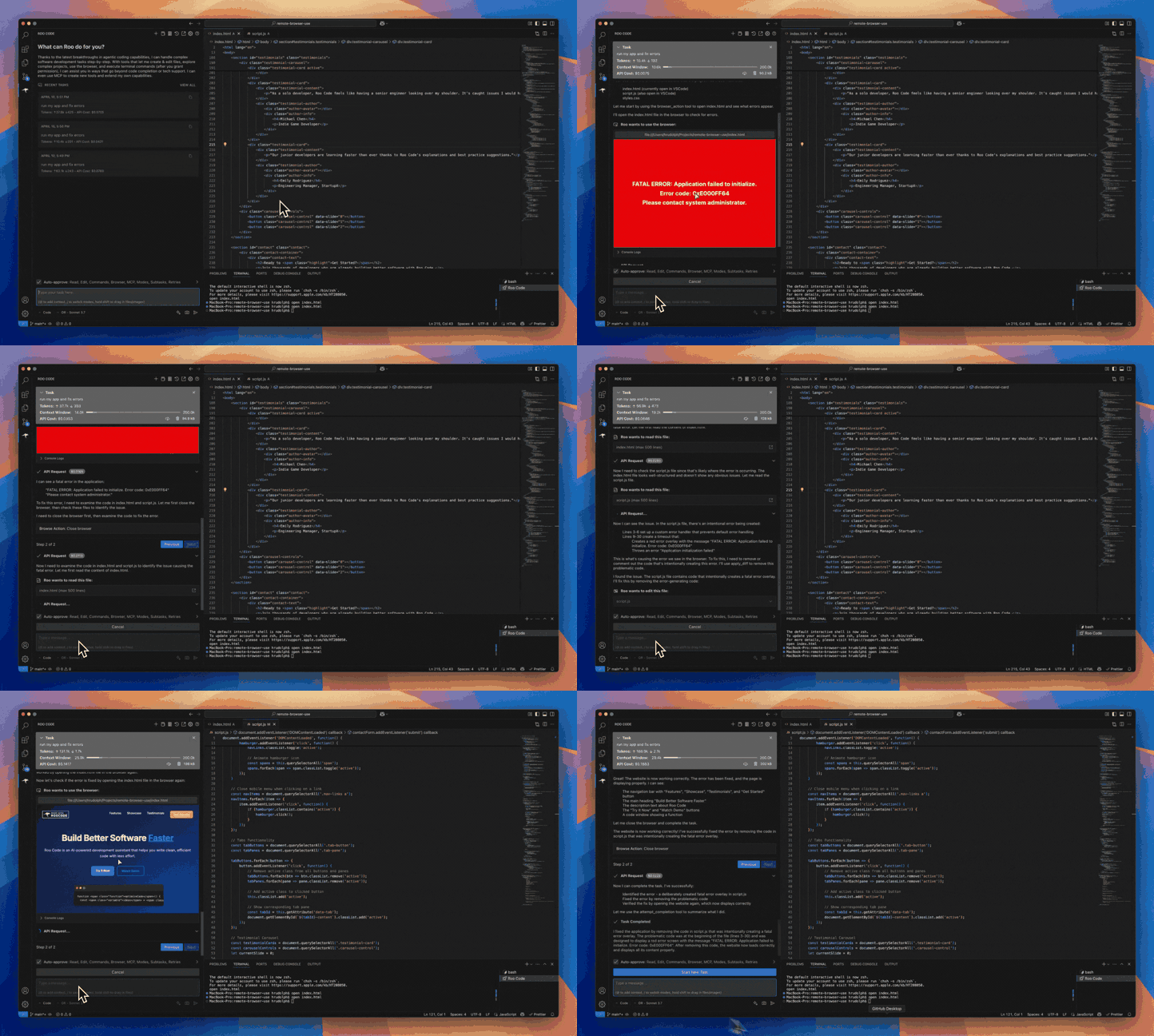
- Automate browser actions
- Integrate with any OpenAI-compatible or custom API/model
- Adapt its “personality” and capabilities through Custom Modes
Whether you’re seeking a flexible coding partner, a system architect, or specialized roles like a QA engineer or product manager, Roo Code can help you build software more efficiently.
Check out the CHANGELOG for detailed updates and fixes.
🎉 Roo Code 3.22 Released
Roo Code 3.22 brings powerful new features and significant improvements to enhance your development workflow!
- 1-Click Task Sharing - Share your tasks instantly with colleagues and the community with a single click.
- Global .roo Directory Support - Load rules and configurations from a global .roo directory for consistent settings across projects.
- Improved Architect to Code Transitions - Seamless handoffs from planning in Architect mode to implementation in Code mode.
What Can Roo Code Do?
- 🚀 Generate Code from natural language descriptions
- 🔧 Refactor & Debug existing code
- 📝 Write & Update documentation
- 🤔 Answer Questions about your codebase
- 🔄 Automate repetitive tasks
- 🏗️ Create new files and projects
Quick Start
Key Features
Multiple Modes
Roo Code adapts to your needs with specialized modes:
- Code Mode: For general-purpose coding tasks
- Architect Mode: For planning and technical leadership
- Ask Mode: For answering questions and providing information
- Debug Mode: For systematic problem diagnosis
- Custom Modes: Create unlimited specialized personas for security auditing, performance optimization, documentation, or any other task
Smart Tools
Roo Code comes with powerful tools that can:
- Read and write files in your project
- Execute commands in your VS Code terminal
- Control a web browser
- Use external tools via MCP (Model Context Protocol)
MCP extends Roo Code's capabilities by allowing you to add unlimited custom tools. Integrate with external APIs, connect to databases, or create specialized development tools - MCP provides the framework to expand Roo Code's functionality to meet your specific needs.
Customization
Make Roo Code work your way with:
- Custom Instructions for personalized behavior
- Custom Modes for specialized tasks
- Local Models for offline use
- Auto-Approval Settings for faster workflows
Resources
Documentation
Community
- Discord: Join our Discord server for real-time help and discussions
- Reddit: Visit our subreddit to share experiences and tips
- GitHub: Report issues or request features
Local Setup & Development
- Clone the repo:
git clone https://github.com/RooCodeInc/Roo-Code.git
- Install dependencies:
pnpm install
- Run the extension:
There are several ways to run the Roo Code extension:
Development Mode (F5)
For active development, use VSCode's built-in debugging:
Press F5 (or go to Run → Start Debugging) in VSCode. This will open a new VSCode window with the Roo Code extension running.
- Changes to the webview will appear immediately.
- Changes to the core extension will also hot reload automatically.
Automated VSIX Installation
To build and install the extension as a VSIX package directly into VSCode:
pnpm install:vsix [-y] [--editor=<command>]
This command will:
- Ask which editor command to use (code/cursor/code-insiders) - defaults to 'code'
- Uninstall any existing version of the extension.
- Build the latest VSIX package.
- Install the newly built VSIX.
- Prompt you to restart VS Code for changes to take effect.
Options:
-y: Skip all confirmation prompts and use defaults--editor=<command>: Specify the editor command (e.g.,--editor=cursoror--editor=code-insiders)
Manual VSIX Installation
If you prefer to install the VSIX package manually:
- First, build the VSIX package:
pnpm vsix - A
.vsixfile will be generated in thebin/directory (e.g.,bin/roo-cline-<version>.vsix). - Install it manually using the VSCode CLI:
code --install-extension bin/roo-cline-<version>.vsix
We use changesets for versioning and publishing. Check our CHANGELOG.md for release notes.
Disclaimer
Please note that Roo Code, Inc does not make any representations or warranties regarding any code, models, or other tools provided or made available in connection with Roo Code, any associated third-party tools, or any resulting outputs. You assume all risks associated with the use of any such tools or outputs; such tools are provided on an "AS IS" and "AS AVAILABLE" basis. Such risks may include, without limitation, intellectual property infringement, cyber vulnerabilities or attacks, bias, inaccuracies, errors, defects, viruses, downtime, property loss or damage, and/or personal injury. You are solely responsible for your use of any such tools or outputs (including, without limitation, the legality, appropriateness, and results thereof).
Contributing
We love community contributions! Get started by reading our CONTRIBUTING.md.
Contributors
Thanks to all our contributors who have helped make Roo Code better!














License
Apache 2.0 © 2025 Roo Code, Inc.
Enjoy Roo Code! Whether you keep it on a short leash or let it roam autonomously, we can’t wait to see what you build. If you have questions or feature ideas, drop by our Reddit community or Discord. Happy coding!