 a80795b78d
* feat: Add OpenAI Compatible embedder for codebase indexing - Implement OpenAiCompatibleEmbedder with batching and retry logic - Add configuration support for base URL and API key - Update UI with provider selection and input fields - Add comprehensive test coverage - Support for all OpenAI-compatible endpoints (LiteLLM, LMStudio, Ollama, etc.) - Add internationalization for 17 languages * fix: Update CodeIndexSettings tests for OpenAI Compatible provider - Fix field count expectations (4 fields including Qdrant) - Use specific test IDs for button selection - Fix input handling with clear() before type() - Use toHaveBeenLastCalledWith for better assertions - Fix status text matching with regex pattern * fix: resolve UI test failures and ESLint errors - Remove unused waitFor import to fix ESLint error - Fix test expectations to match actual component behavior for input fields - Simplify provider selection test by removing complex mock interactions - All CodeIndexSettings tests now pass (20/20) * feat: add custom model infrastructure for OpenAI-compatible embedder - Add manual model ID and embedding dimension configuration - Enable custom model input via text field in settings UI - Add modelDimension parameter to OpenAiCompatibleEmbedder - Update configuration management to persist dimension setting - Prioritize manual dimension over hardcoded model profiles - Add comprehensive test coverage for new functionality This allows users to specify any custom embedding model and its dimension for OpenAI-compatible providers, removing dependency on hardcoded model profiles. * Add missing translations for OpenAI-compatible model dimension settings in all locales * refactor: remove unused modelDimension parameter from OpenAiCompatibleEmbedder - Remove modelDimension property and constructor parameter from OpenAiCompatibleEmbedder class - Update ServiceFactory to not pass dimension to embedder constructor - Update tests to match new constructor signature - The dimension is still used for QdrantVectorStore configuration * chore: bot suggestion Co-authored-by: ellipsis-dev[bot] <65095814+ellipsis-dev[bot]@users.noreply.github.com> * chore: bot suggestion Co-authored-by: ellipsis-dev[bot] <65095814+ellipsis-dev[bot]@users.noreply.github.com> * refactor: rename OpenAiCompatibleEmbedder to OpenAICompatibleEmbedder for consistency * feat: add model dimension validation for OpenAI-compatible settings * refactor: improve default model ID retrieval logic for embedding providers * feat: add default model ID retrieval for openai-compatible provider * refactor: update default model ID retrieval to use shared utility function * fix: Remove unnecessary type assertion in OpenAICompatibleEmbedder * feat: add model dimension input for openai-compatible provider --------- Co-authored-by: Daniel Riccio <ricciodaniel98@gmail.com> Co-authored-by: Daniel <57051444+daniel-lxs@users.noreply.github.com> Co-authored-by: ellipsis-dev[bot] <65095814+ellipsis-dev[bot]@users.noreply.github.com> |
||
|---|---|---|
| .changeset | ||
| .github | ||
| .husky | ||
| .roo | ||
| .vscode | ||
| apps | ||
| locales | ||
| packages | ||
| scripts | ||
| src | ||
| webview-ui | ||
| .dockerignore | ||
| .env.sample | ||
| .git-blame-ignore-revs | ||
| .gitattributes | ||
| .gitconfig | ||
| .gitignore | ||
| .nvmrc | ||
| .prettierrc.json | ||
| .rooignore | ||
| .roomodes | ||
| .tool-versions | ||
| CHANGELOG.md | ||
| CODE_OF_CONDUCT.md | ||
| CONTRIBUTING.md | ||
| ellipsis.yaml | ||
| knip.json | ||
| LICENSE | ||
| MONOREPO.md | ||
| package.json | ||
| pnpm-lock.yaml | ||
| pnpm-workspace.yaml | ||
| PRIVACY.md | ||
| README.md | ||
| renovate.json | ||
| turbo.json | ||
English • Català • Deutsch • Español • Français • हिन्दी • Italiano • Nederlands • Русский
日本語 • 한국어 • Polski • Português (BR) • Türkçe • Tiếng Việt • 简体中文 • 繁體中文
Roo Code (prev. Roo Cline)
Connect with developers, contribute ideas, and stay ahead with the latest AI-powered coding tools.






Roo Code is an AI-powered autonomous coding agent that lives in your editor. It can:
- Communicate in natural language
- Read and write files directly in your workspace
- Run terminal commands
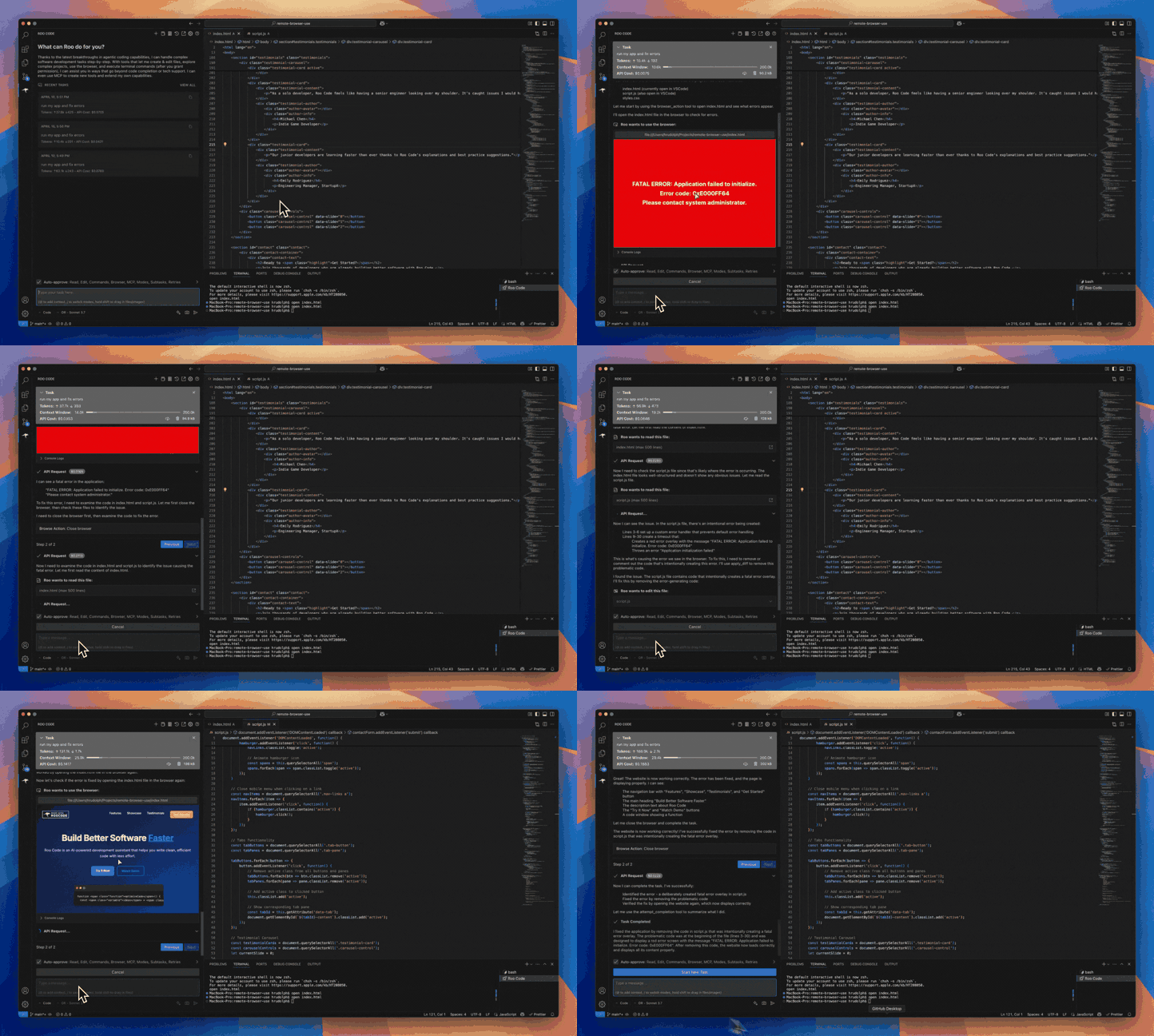
- Automate browser actions
- Integrate with any OpenAI-compatible or custom API/model
- Adapt its “personality” and capabilities through Custom Modes
Whether you’re seeking a flexible coding partner, a system architect, or specialized roles like a QA engineer or product manager, Roo Code can help you build software more efficiently.
Check out the CHANGELOG for detailed updates and fixes.
🎉 Roo Code 3.19 Released
Roo Code 3.19 brings intelligent context management improvements and enhanced user experience!
- Intelligent Context Condensing Enabled by Default - Context condensing is now enabled by default with configurable settings for when automatic condensing happens.
- Manual Condensing Button - New button in the task header allows you to manually trigger context condensing at any time.
- Enhanced Condensing Settings - Fine-tune when and how automatic condensing occurs through the Context Settings panel.
What Can Roo Code Do?
- 🚀 Generate Code from natural language descriptions
- 🔧 Refactor & Debug existing code
- 📝 Write & Update documentation
- 🤔 Answer Questions about your codebase
- 🔄 Automate repetitive tasks
- 🏗️ Create new files and projects
Quick Start
Key Features
Multiple Modes
Roo Code adapts to your needs with specialized modes:
- Code Mode: For general-purpose coding tasks
- Architect Mode: For planning and technical leadership
- Ask Mode: For answering questions and providing information
- Debug Mode: For systematic problem diagnosis
- Custom Modes: Create unlimited specialized personas for security auditing, performance optimization, documentation, or any other task
Smart Tools
Roo Code comes with powerful tools that can:
- Read and write files in your project
- Execute commands in your VS Code terminal
- Control a web browser
- Use external tools via MCP (Model Context Protocol)
MCP extends Roo Code's capabilities by allowing you to add unlimited custom tools. Integrate with external APIs, connect to databases, or create specialized development tools - MCP provides the framework to expand Roo Code's functionality to meet your specific needs.
Customization
Make Roo Code work your way with:
- Custom Instructions for personalized behavior
- Custom Modes for specialized tasks
- Local Models for offline use
- Auto-Approval Settings for faster workflows
Resources
Documentation
Community
- Discord: Join our Discord server for real-time help and discussions
- Reddit: Visit our subreddit to share experiences and tips
- GitHub: Report issues or request features
Local Setup & Development
- Clone the repo:
git clone https://github.com/RooCodeInc/Roo-Code.git
- Install dependencies:
pnpm install
- Run the extension:
Press F5 (or Run → Start Debugging) in VSCode to open a new window with Roo Code running.
Changes to the webview will appear immediately. Changes to the core extension will require a restart of the extension host.
Alternatively you can build a .vsix and install it directly in VSCode:
pnpm vsix
A .vsix file will appear in the bin/ directory which can be installed with:
code --install-extension bin/roo-cline-<version>.vsix
We use changesets for versioning and publishing. Check our CHANGELOG.md for release notes.
Disclaimer
Please note that Roo Code, Inc does not make any representations or warranties regarding any code, models, or other tools provided or made available in connection with Roo Code, any associated third-party tools, or any resulting outputs. You assume all risks associated with the use of any such tools or outputs; such tools are provided on an "AS IS" and "AS AVAILABLE" basis. Such risks may include, without limitation, intellectual property infringement, cyber vulnerabilities or attacks, bias, inaccuracies, errors, defects, viruses, downtime, property loss or damage, and/or personal injury. You are solely responsible for your use of any such tools or outputs (including, without limitation, the legality, appropriateness, and results thereof).
Contributing
We love community contributions! Get started by reading our CONTRIBUTING.md.
Contributors
Thanks to all our contributors who have helped make Roo Code better!











License
Apache 2.0 © 2025 Roo Code, Inc.
Enjoy Roo Code! Whether you keep it on a short leash or let it roam autonomously, we can’t wait to see what you build. If you have questions or feature ideas, drop by our Reddit community or Discord. Happy coding!