English • [Català](locales/ca/README.md) • [Deutsch](locales/de/README.md) • [Español](locales/es/README.md) • [Français](locales/fr/README.md) • [हिंदी](locales/hi/README.md) • [Bahasa Indonesia](locales/id/README.md) • [Italiano](locales/it/README.md) • [日本語](locales/ja/README.md)
[한국어](locales/ko/README.md) • [Nederlands](locales/nl/README.md) • [Polski](locales/pl/README.md) • [Português (BR)](locales/pt-BR/README.md) • [Русский](locales/ru/README.md) • [Türkçe](locales/tr/README.md) • [Tiếng Việt](locales/vi/README.md) • [简体中文](locales/zh-CN/README.md) • [繁體中文](locales/zh-TW/README.md)
Roo Code (prev. Roo Cline)
Connect with developers, contribute ideas, and stay ahead with the latest AI-powered coding tools.


**Roo Code** is an AI-powered **autonomous coding agent** that lives in your editor. It can:
- Communicate in natural language
- Read and write files directly in your workspace
- Run terminal commands
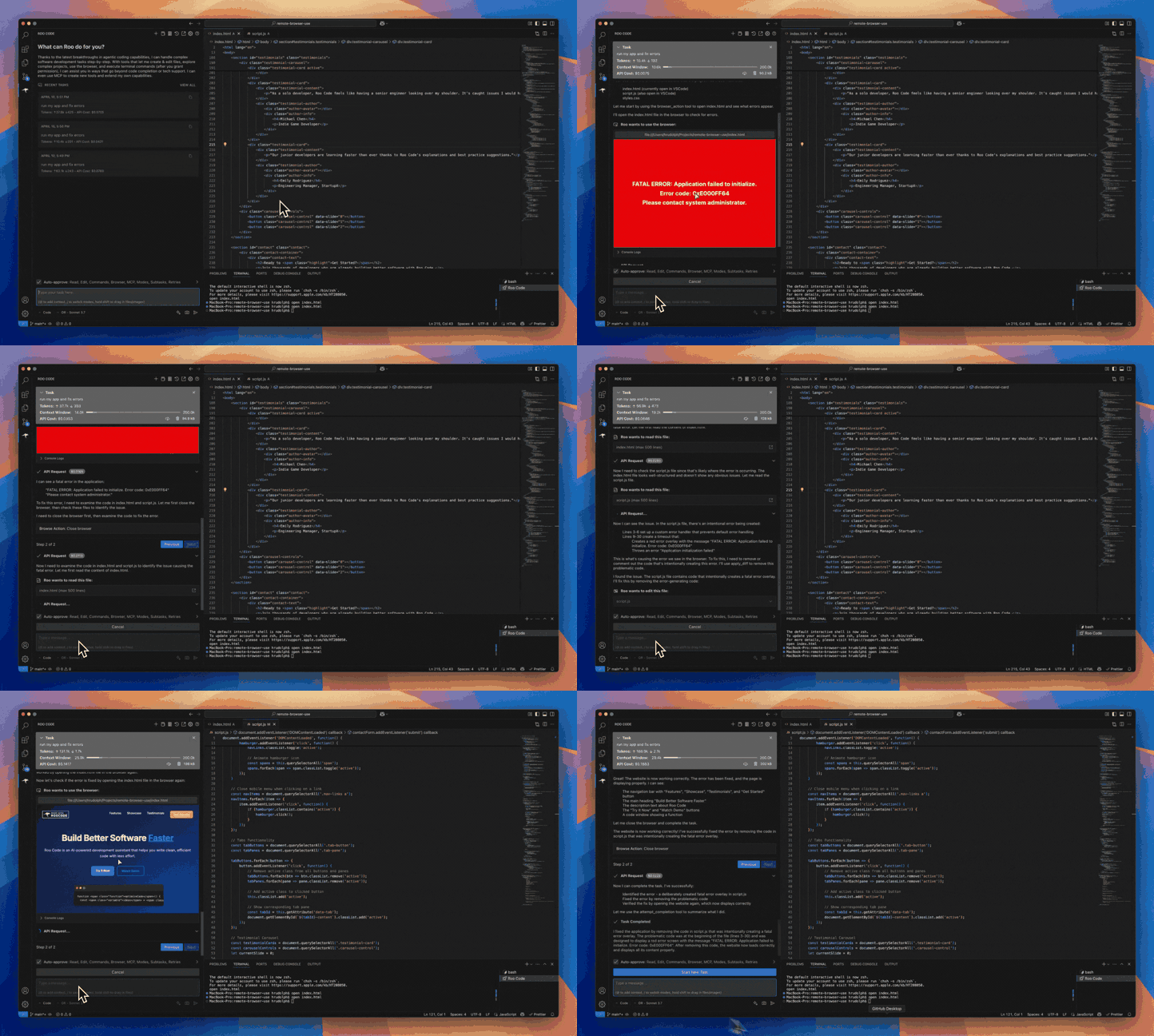
- Automate browser actions
- Integrate with any OpenAI-compatible or custom API/model
- Adapt its "personality" and capabilities through **Custom Modes**
Whether you're seeking a flexible coding partner, a system architect, or specialized roles like a QA engineer or product manager, Roo Code can help you build software more efficiently.
Check out the [CHANGELOG](https://github.com/RooCodeInc/Roo-Code/blob/main/CHANGELOG.md) for detailed updates and fixes.
---
## 🎉 Roo Code 3.24 Released
Roo Code 3.24 brings powerful new features and significant improvements to enhance your development workflow!
- **Hugging Face Provider** - Access tons of great open source models directly through the new Hugging Face provider with seamless integration and model selection.
- **Inline Command Controls** - New auto-approve and deny controls for command execution give you precise control over terminal operations with customizable permissions.
- **AGENTS.md Rules Support** - Adds support for a community standard AGENTS.md file in the root of the project.
---
## What Can Roo Code Do?
- 🚀 **Generate Code** from natural language descriptions
- 🔧 **Refactor & Debug** existing code
- 📝 **Write & Update** documentation
- 🤔 **Answer Questions** about your codebase
- 🔄 **Automate** repetitive tasks
- 🏗️ **Create** new files and projects
## Quick Start
1. [Install Roo Code](https://docs.roocode.com/getting-started/installing)
2. [Connect Your AI Provider](https://docs.roocode.com/getting-started/connecting-api-provider)
3. [Try Your First Task](https://docs.roocode.com/getting-started/your-first-task)
## Key Features
### Multiple Modes
Roo Code adapts to your needs with specialized [modes](https://docs.roocode.com/basic-usage/using-modes):
- **Code Mode:** For general-purpose coding tasks
- **Architect Mode:** For planning and technical leadership
- **Ask Mode:** For answering questions and providing information
- **Debug Mode:** For systematic problem diagnosis
- **[Custom Modes](https://docs.roocode.com/advanced-usage/custom-modes):** Create unlimited specialized personas for security auditing, performance optimization, documentation, or any other task
### Smart Tools
Roo Code comes with powerful [tools](https://docs.roocode.com/basic-usage/how-tools-work) that can:
- Read and write files in your project
- Execute commands in your VS Code terminal
- Control a web browser
- Use external tools via [MCP (Model Context Protocol)](https://docs.roocode.com/advanced-usage/mcp)
MCP extends Roo Code's capabilities by allowing you to add unlimited custom tools. Integrate with external APIs, connect to databases, or create specialized development tools - MCP provides the framework to expand Roo Code's functionality to meet your specific needs.
### Customization
Make Roo Code work your way with:
- [Custom Instructions](https://docs.roocode.com/advanced-usage/custom-instructions) for personalized behavior
- [Custom Modes](https://docs.roocode.com/advanced-usage/custom-modes) for specialized tasks
- [Local Models](https://docs.roocode.com/advanced-usage/local-models) for offline use
- [Auto-Approval Settings](https://docs.roocode.com/advanced-usage/auto-approving-actions) for faster workflows
## Resources
### Documentation
- [Basic Usage Guide](https://docs.roocode.com/basic-usage/the-chat-interface)
- [Advanced Features](https://docs.roocode.com/advanced-usage/auto-approving-actions)
- [Frequently Asked Questions](https://docs.roocode.com/faq)
### Community
- **Discord:** [Join our Discord server](https://discord.gg/roocode) for real-time help and discussions
- **Reddit:** [Visit our subreddit](https://www.reddit.com/r/RooCode) to share experiences and tips
- **GitHub:** Report [issues](https://github.com/RooCodeInc/Roo-Code/issues) or request [features](https://github.com/RooCodeInc/Roo-Code/discussions/categories/feature-requests?discussions_q=is%3Aopen+category%3A%22Feature+Requests%22+sort%3Atop)
---
## Contributing
We love community contributions! Get started by reading our [CONTRIBUTING.md](https://github.com/RooCodeInc/Roo-Code/blob/main/CONTRIBUTING.md).
View our full list of [contributors on GitHub](https://github.com/RooCodeInc/Roo-Code#contributors).
---
## License
[Apache 2.0 © 2025 Roo Code, Inc.](https://github.com/RooCodeInc/Roo-Code/blob/main/LICENSE)
---
**Enjoy Roo Code!** Whether you keep it on a short leash or let it roam autonomously, we can't wait to see what you build. If you have questions or feature ideas, drop by our [Reddit community](https://www.reddit.com/r/RooCode/) or [Discord](https://discord.gg/roocode). Happy coding!