 b9caae1e50
* feat(service): bind network services to all interfaces * fix(service): keep network listeners local by default * fix(service): make remote access explicit |
||
|---|---|---|
| .. | ||
| .openai | ||
| app | ||
| db | ||
| drizzle/meta | ||
| examples/d1 | ||
| figures | ||
| public | ||
| src/reme_studio | ||
| static | ||
| tests | ||
| tooling | ||
| worker | ||
| .env.example | ||
| .gitignore | ||
| .prettierignore | ||
| cloudflare-env.d.ts | ||
| drizzle.config.ts | ||
| eslint.config.mjs | ||
| index.html | ||
| LICENSE | ||
| next-env.d.ts | ||
| next.config.ts | ||
| package-lock.json | ||
| package.json | ||
| postcss.config.mjs | ||
| pyproject.toml | ||
| README.md | ||
| README_ZH.md | ||
| tsconfig.json | ||
| vite.config.ts | ||
| vite.static.config.ts | ||
ReMe Studio
English | 简体中文
ReMe Studio is the local web workspace for ReMe. It provides one place to browse and edit user-owned memory files, inspect the relationships between them, talk to the ReMe Agent, and understand the health of the local service.
Studio follows ReMe's local-first model: Markdown and other workspace files remain the durable source of truth. Search indexes, catalogs, graphs, caches, and runtime metadata stay derived and rebuildable.
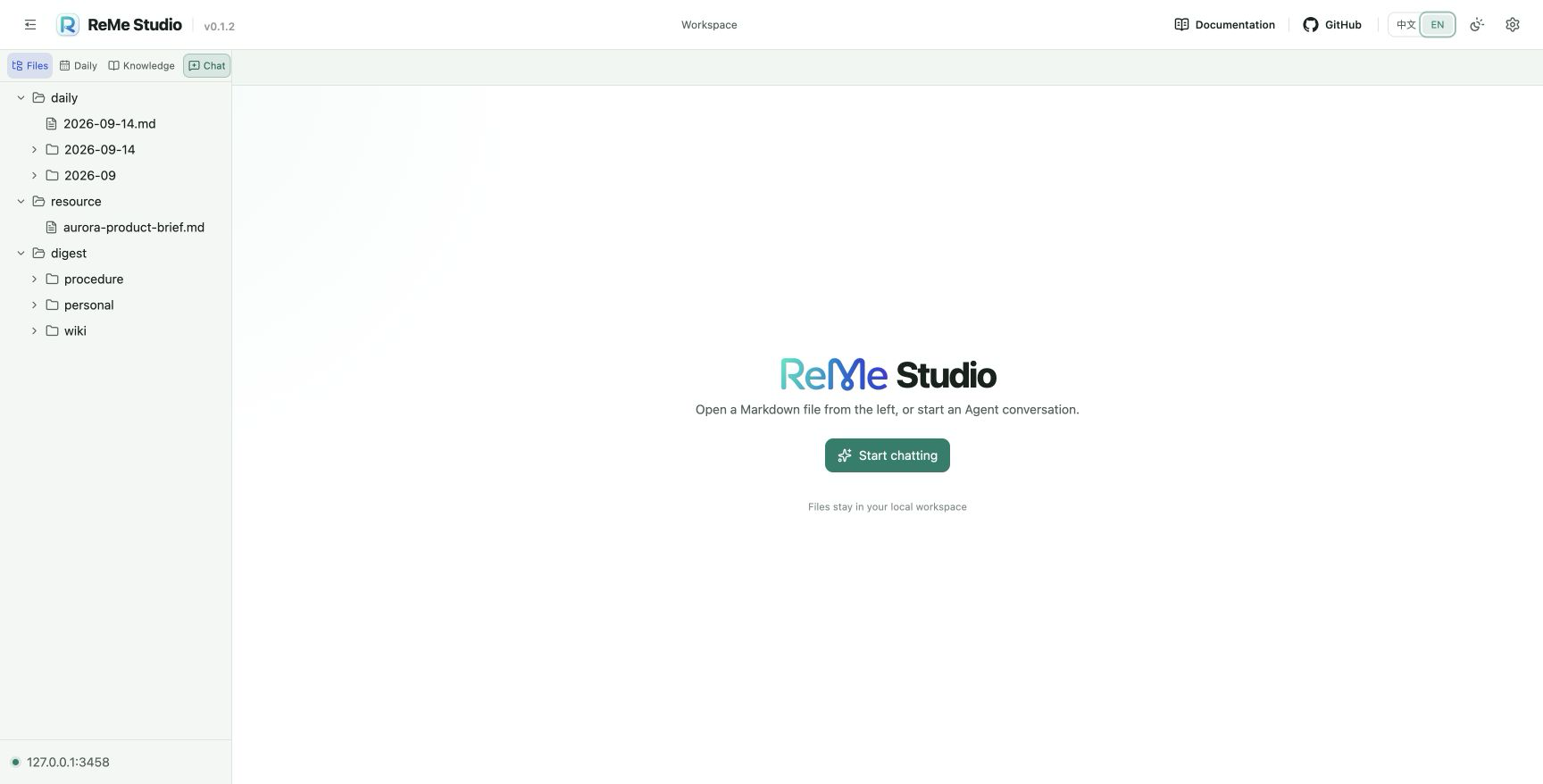
All screenshots in this README were captured from a real local ReMe service with the Studio UI set to English. The isolated
Project Auroraworkspace is fictional and contains no user data, credentials, or private endpoints.
What Studio provides
| Area | Capabilities |
|---|---|
| Workspace | Browse the complete workspace, focused daily notes, or durable knowledge; refresh automatically as files change |
| Markdown | Preview front matter and GitHub Flavored Markdown, edit with Monaco, save safely, download, and keep multiple tabs open |
| Memory graph | Explore indexed wikilinks by knowledge category, follow link direction, zoom, fit, and open source notes |
| Agent chat | Stream answers, reasoning, tool activity, approvals, data blocks, and usage; reference workspace files by dragging them into chat |
| Service center | Inspect process and component health, rebuild derived indexes, review the redacted effective configuration, and verify versions |
| Personalization | Switch between English and Chinese and select light, dark, or system appearance |
How it fits together
Your local workspace files
          │
          ▼
   ReMe HTTP service
    ├── file operations
    ├── derived indexes
    ├── wikilink graph
    └── read-only Agent chat
          │
          ▼
      ReMe Studio
Studio is a client of the ReMe HTTP service. It does not replace the workspace with a separate document database and it does not make browser-local state the durable source of truth. Tabs and interface preferences are conveniences; the files in the configured ReMe workspace remain authoritative.
Requirements
- Python 3.11 or newer with ReMe installed.
- A running ReMe HTTP service.
- A working Agent and model configuration only if Agent chat is used.
- Node.js 22.13 or newer only when developing or building Studio from source.
See the ReMe repository README for backend installation, workspace, and model configuration.
Install
Install Studio together with ReMe's optional integrations:
pip install "reme-ai[core]"
Install only the web extra when the other optional integrations are unnecessary:
pip install "reme-ai[web]"
The base reme-ai package is headless and does not include the frontend assets.
Node.js applications can install the same prebuilt static workspace:
npm install @agentscope-ai/reme_studio
The static entry point is installed at @agentscope-ai/reme_studio/dist-static/index.html.
Start Studio
Start the ReMe HTTP service:
reme start
Then open http://127.0.0.1:2333. The default HTTP service serves both the API and the packaged Studio frontend.
To use a different workspace or port, pass normal ReMe configuration overrides:
reme start workspace_dir=/absolute/path/to/workspace service.port=8000
Studio displays the connected endpoint at the bottom of the navigator. A green indicator means the browser can reach the service. If Studio is hosted separately, configure its API URL as described in Frontend configuration.
Interface tour
1. Workspace navigator
The left navigator exposes four primary entry points:
- Files shows supported files across the entire ReMe workspace.
- Daily focuses on files under the configured daily-memory directory.
- Knowledge focuses on the
wiki,personal, andproceduredirectories under durable digest memory. - Chat opens a fresh Agent conversation without closing files or graphs that are already open.
Directories can be expanded independently. The navigator hides dotfiles and dot-directories, orders the newest files first, applies a bounded result limit, and refreshes when files change on disk. The divider can be dragged to resize the navigator, and the menu control in the top bar can collapse it.
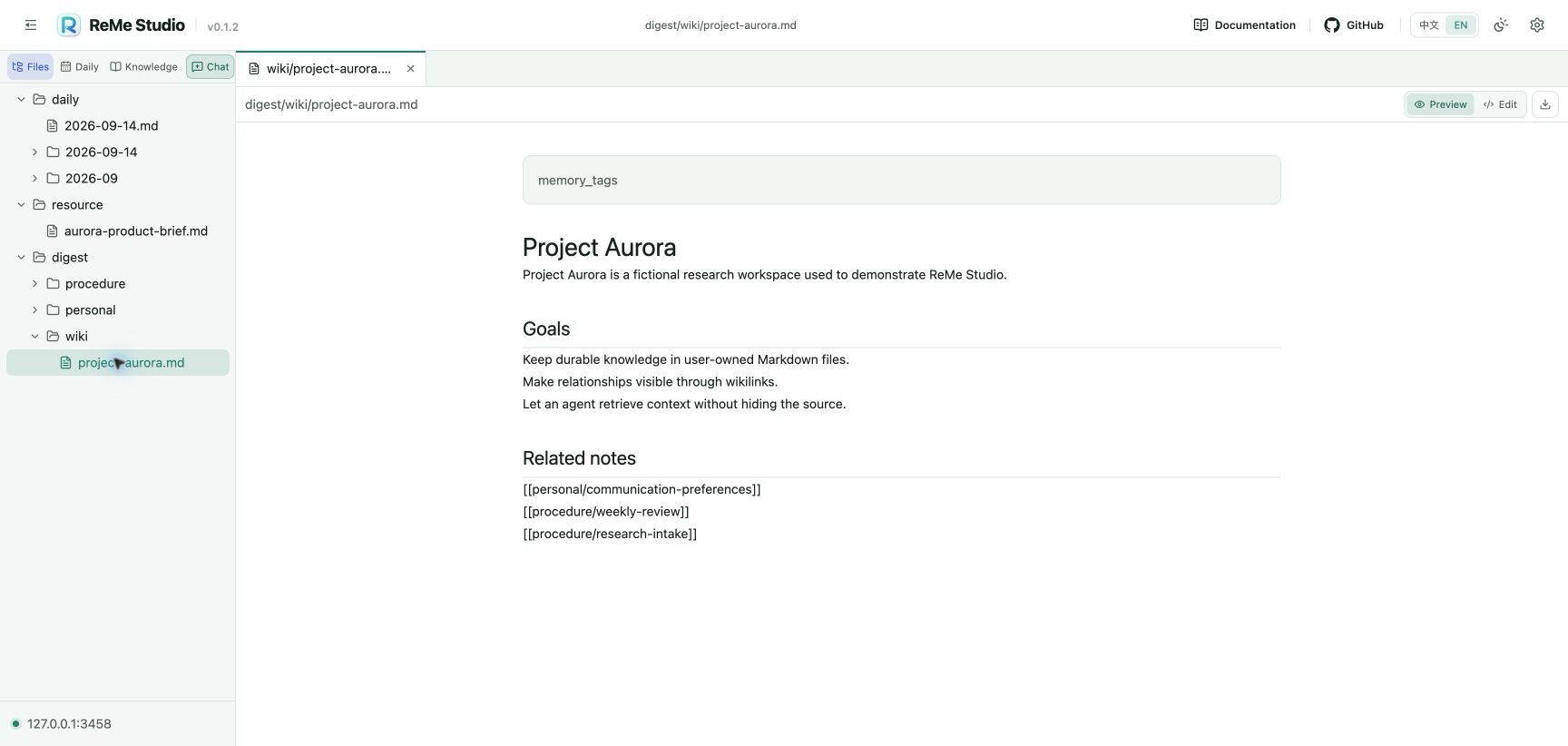
The tab strip keeps files, graphs, and conversations together. Closing a tab does not delete its file. When an edited file has unsaved changes, Studio protects it from an accidental close and also supports closing the current tab or the other tabs from the tab context menu.
2. Daily notes
The Daily view gathers both day-index pages and dated note directories without changing their on-disk paths. It is a focused view of the same local workspace, so a note opened here can also appear in Files and remains available to ReMe's indexing and Agent workflows.
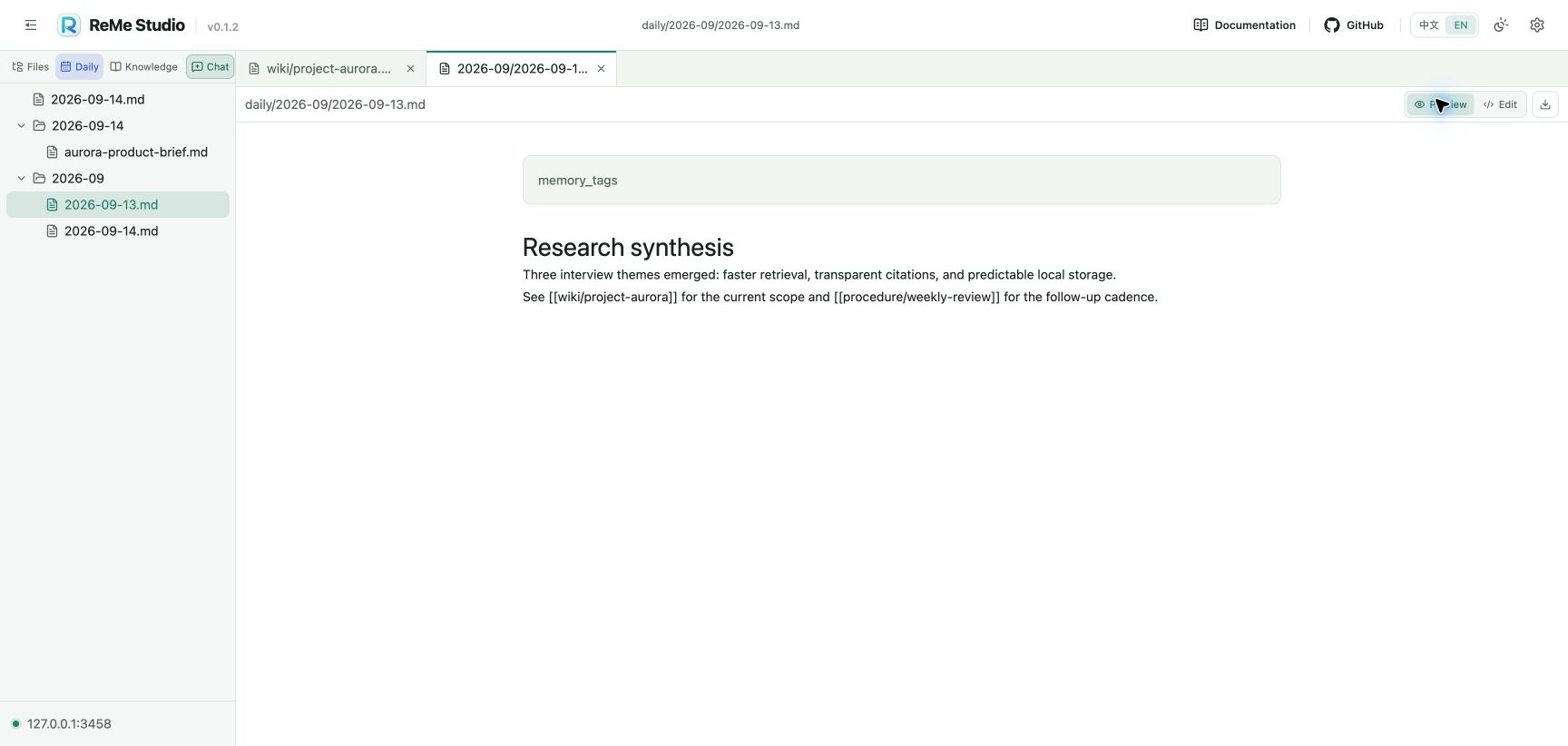
Use Daily to review chronological memory, open generated resource notes, and move between recent work without browsing the rest of the workspace tree.
3. Markdown preview
Preview mode renders:
- YAML front matter in a dedicated summary block.
- Headings, lists, links, code, tables, task lists, and other GitHub Flavored Markdown.
- The original workspace-relative path above the document.
The download control saves a local copy through the browser. Preview mode never modifies the source file.
4. Markdown editing and safe saves
Edit mode uses Monaco with Markdown syntax highlighting, line numbers, keyboard navigation, and a full-height editing surface. Switch between Preview and Edit at any time.
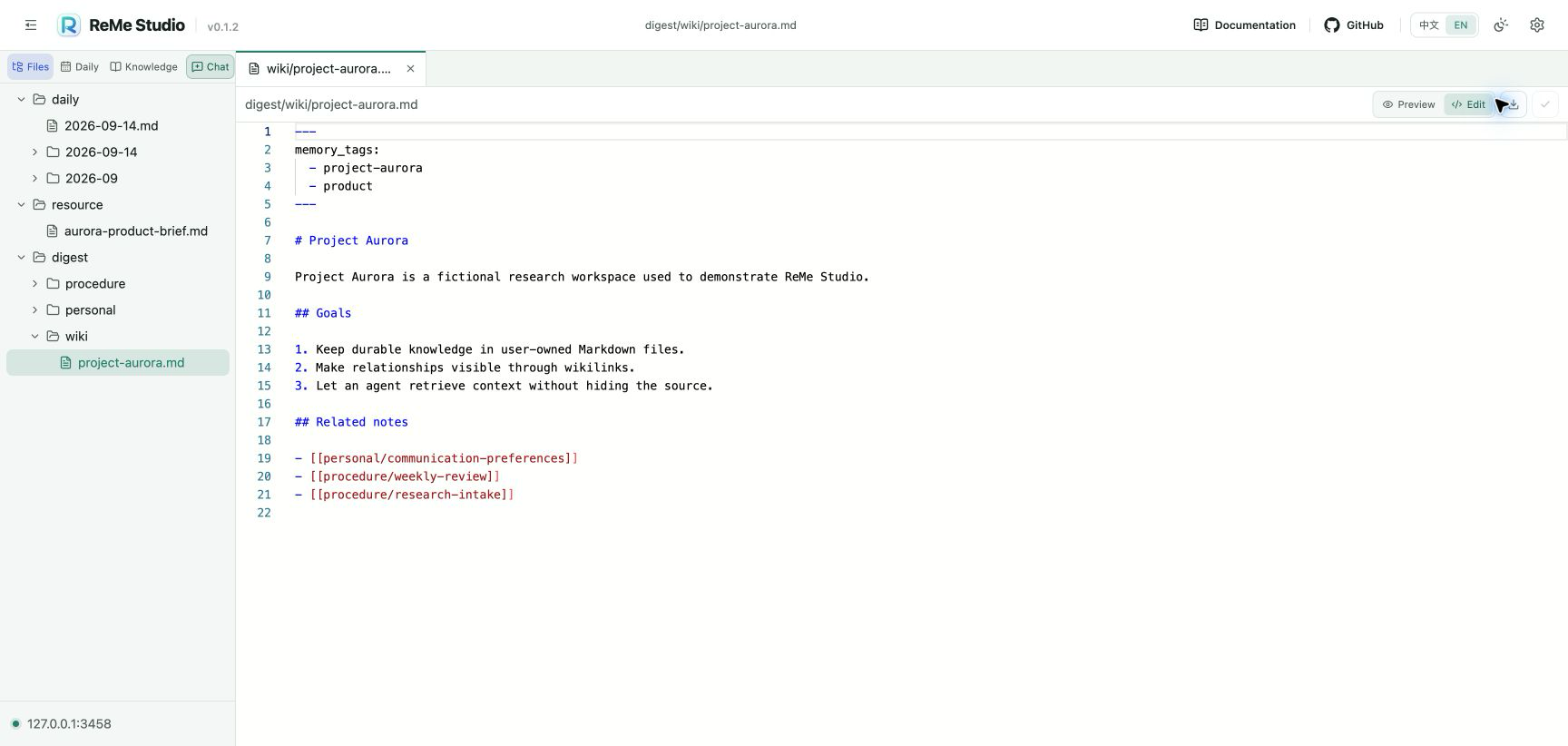
Studio records the file modification time when it loads a document and sends that value back on save. If another process changed the file in the meantime, the ReMe service rejects the stale write instead of silently overwriting the newer content. After a successful save, Studio refreshes the file state and clears the unsaved marker.
5. Knowledge and memory graphs
Knowledge groups durable memory into three conventional roots:
wikifor entities, projects, topics, and stable knowledge.personalfor user-specific preferences and long-lived context.procedurefor repeatable workflows and operating knowledge.
Each category has a Graph action. The graph is generated from ReMe's indexed wikilinks and preserves their original source-to-target direction.
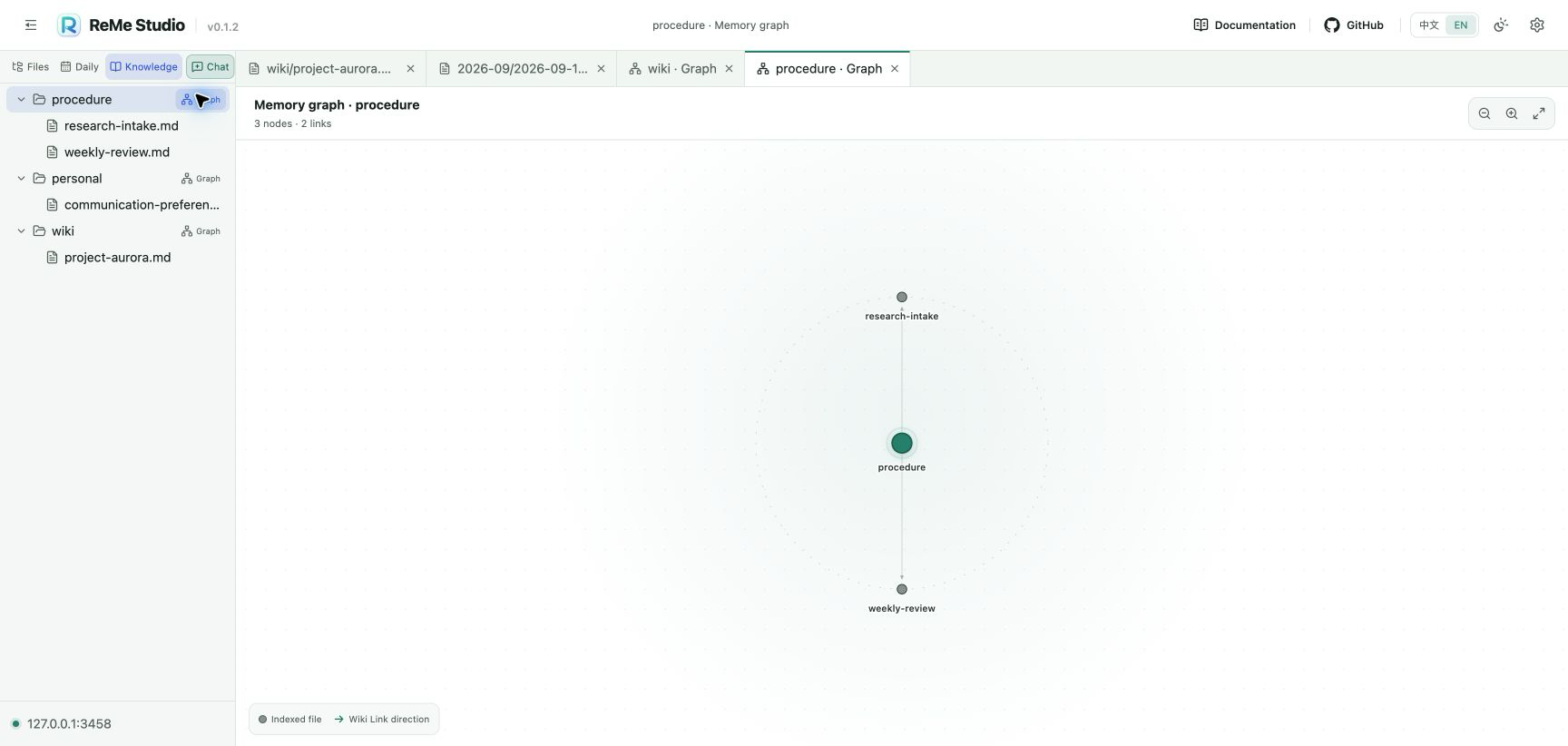
The graph view provides:
- Indexed-file nodes, category roots, and directed wikilink edges.
- Node and link counts for the selected category.
- Zoom in, zoom out, and fit-to-view controls.
- A legend for file nodes and link direction.
- Direct opening of the corresponding Markdown source when a file node is selected.
The graph is derived state. If it is empty, first allow ReMe to ingest the relevant files; rebuilding search indexes in Settings does not rescan files or reconstruct the wikilink graph.
6. Agent chat
Chat opens in the same tab workspace, so files and graphs can remain available while a conversation is in progress.
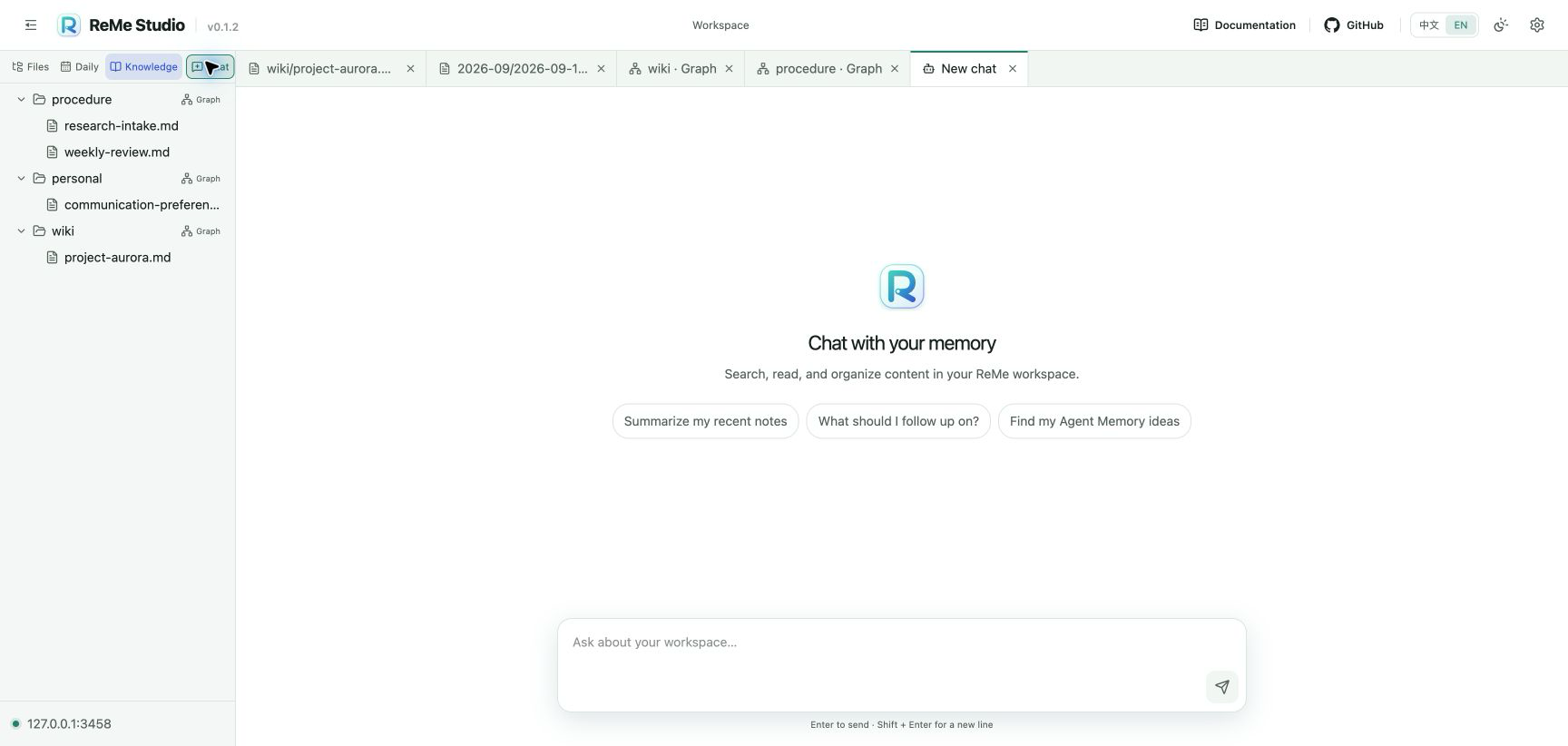
The conversation surface supports:
- Token-by-token streaming from the ReMe Agent.
- Separate rendering for answer text, reasoning, tool calls, structured data, approvals, and usage information.
- Collapsible completed reasoning and tool blocks to keep long conversations readable.
- Multiple independent chat tabs and resumable backend session identifiers.
- Starter prompts for common memory questions.
- Dragging a workspace file into the composer to insert a path reference.
Enterto send andShift+Enterfor a new line.
The built-in chat job is read-only with respect to the workspace. It can search and read context but should not be used as a substitute for explicitly saving durable knowledge. Chat requires a valid Agent/model configuration; file browsing, editing, graphs, and service inspection do not.
7. Service status
Open Settings from the top bar to inspect the backend that Studio is actually using.
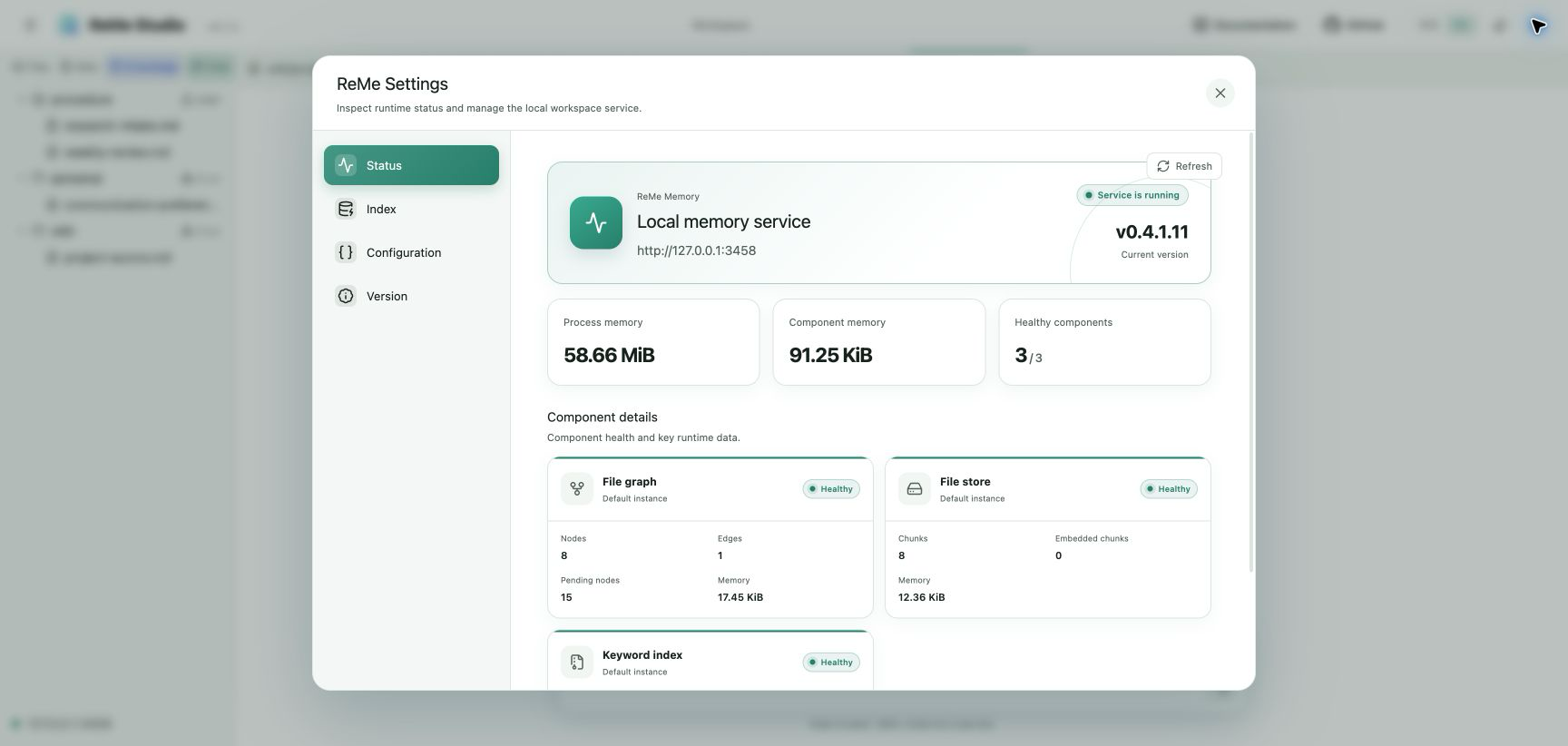
Status reports:
- Whether the ReMe service is reachable and the endpoint in use.
- The current ReMe backend version.
- Process resident memory and total memory estimated for stateful components.
- The number of healthy components.
- Runtime facts for the file graph, file store, keyword index, and embedding store when configured, including nodes, edges, chunks, documents, vocabulary, dimensions, cache size, and component memory where available.
Use Refresh to request a new snapshot after files are indexed or service configuration changes.
8. Index management
The Index page provides an explicit maintenance action for derived search state.
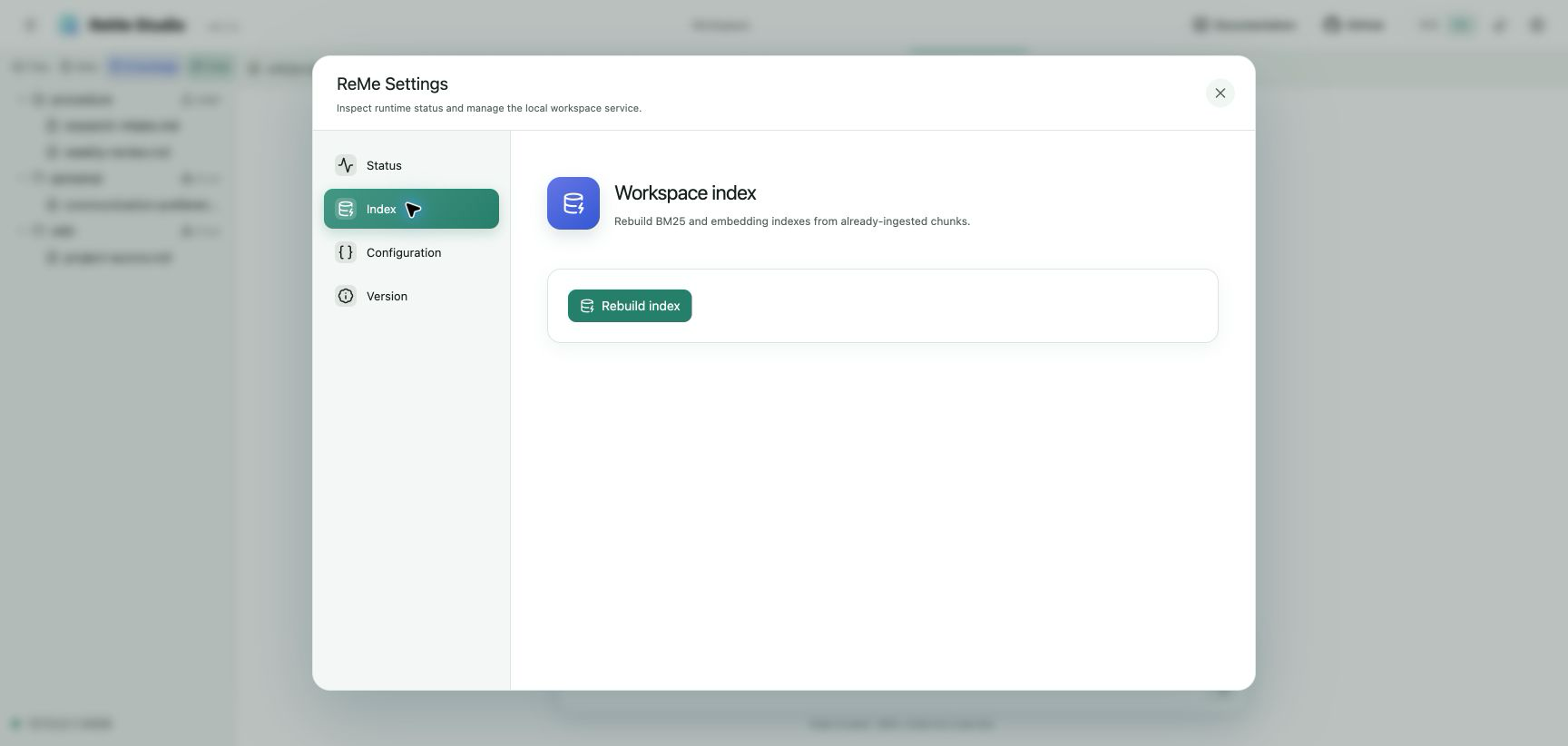
Rebuild index reconstructs the BM25, embedding, and tag indexes from chunks that ReMe has already ingested. Before running, Studio asks for confirmation. This action does not scan the workspace, rechunk files, edit source memory, or rebuild the wikilink graph. Those boundaries preserve ReMe's file-native source of truth.
9. Effective configuration
Configuration shows the fully resolved application configuration returned by the connected backend.
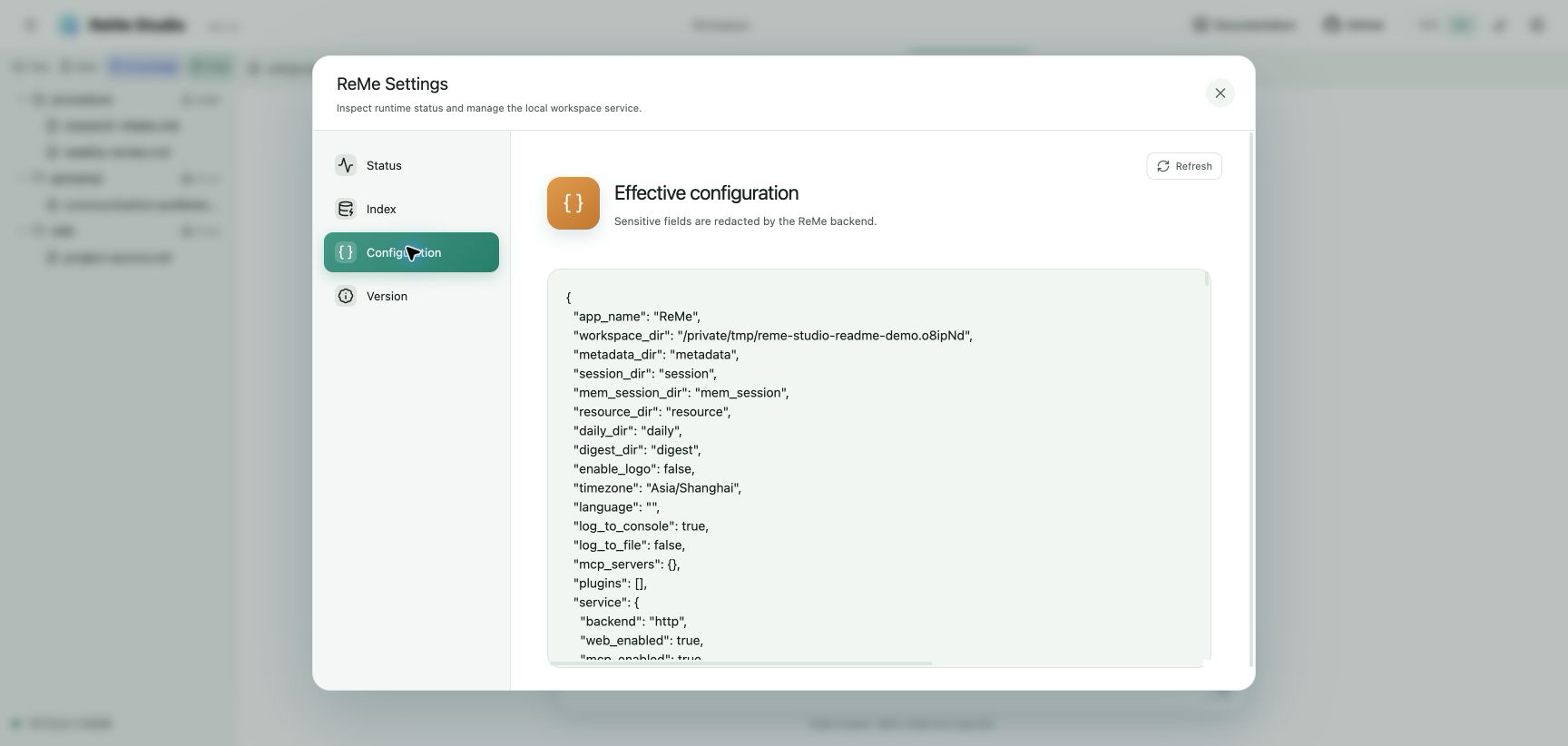
This is useful for confirming the active workspace, directory layout, service options, jobs, and component backends after file configuration and command-line overrides have been merged. Sensitive fields are redacted by ReMe before the configuration reaches the browser.
10. Version and endpoint
Version presents the ReMe backend version and service endpoint separately from the Studio version shown in the top-left brand lockup.
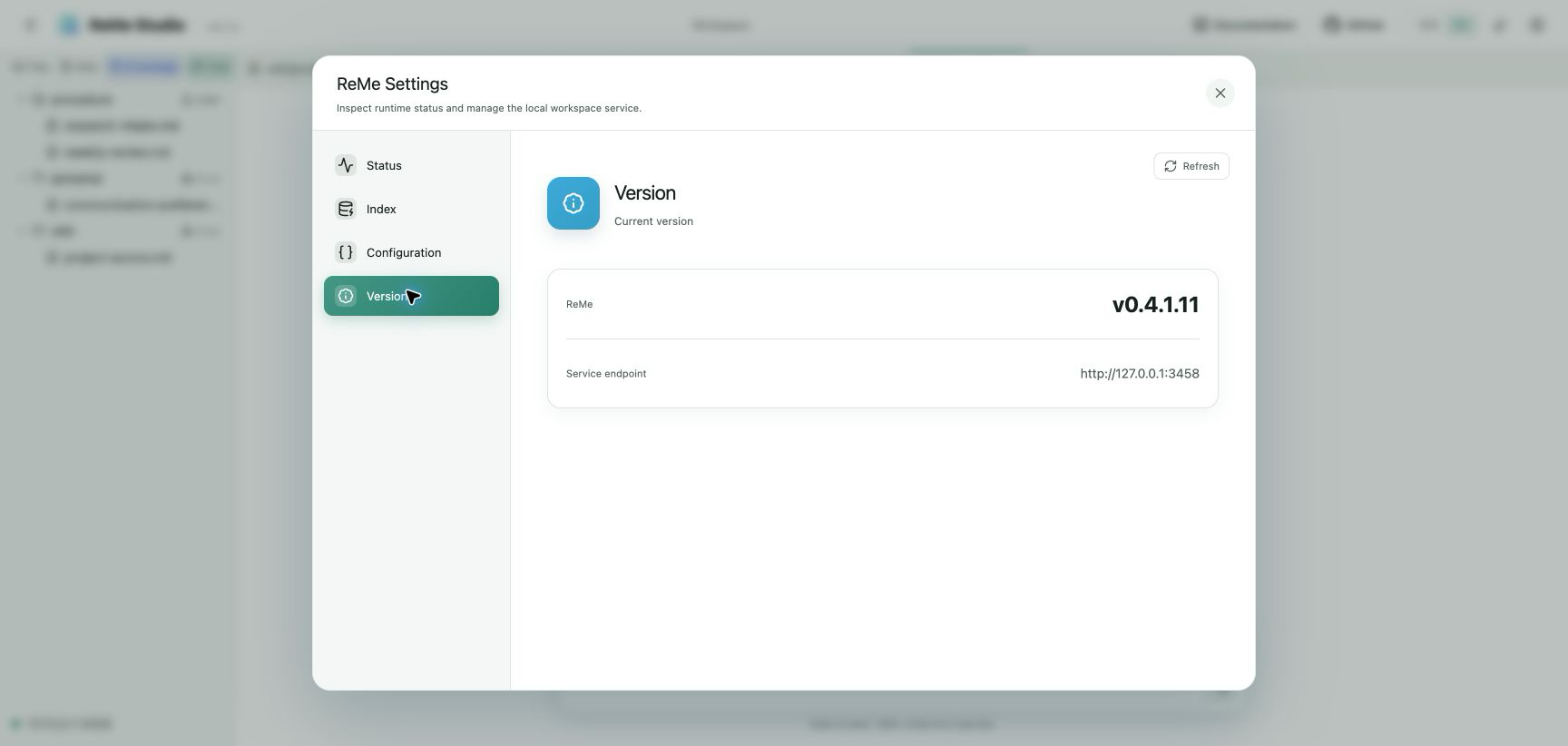
This distinction helps when diagnosing a frontend/backend mismatch: the top bar identifies the installed Studio build, while Settings identifies the connected ReMe service.
11. Language and appearance
The top bar switches the entire interface between English and Chinese. Appearance supports Light, Dark, and System; System follows the operating-system color preference.
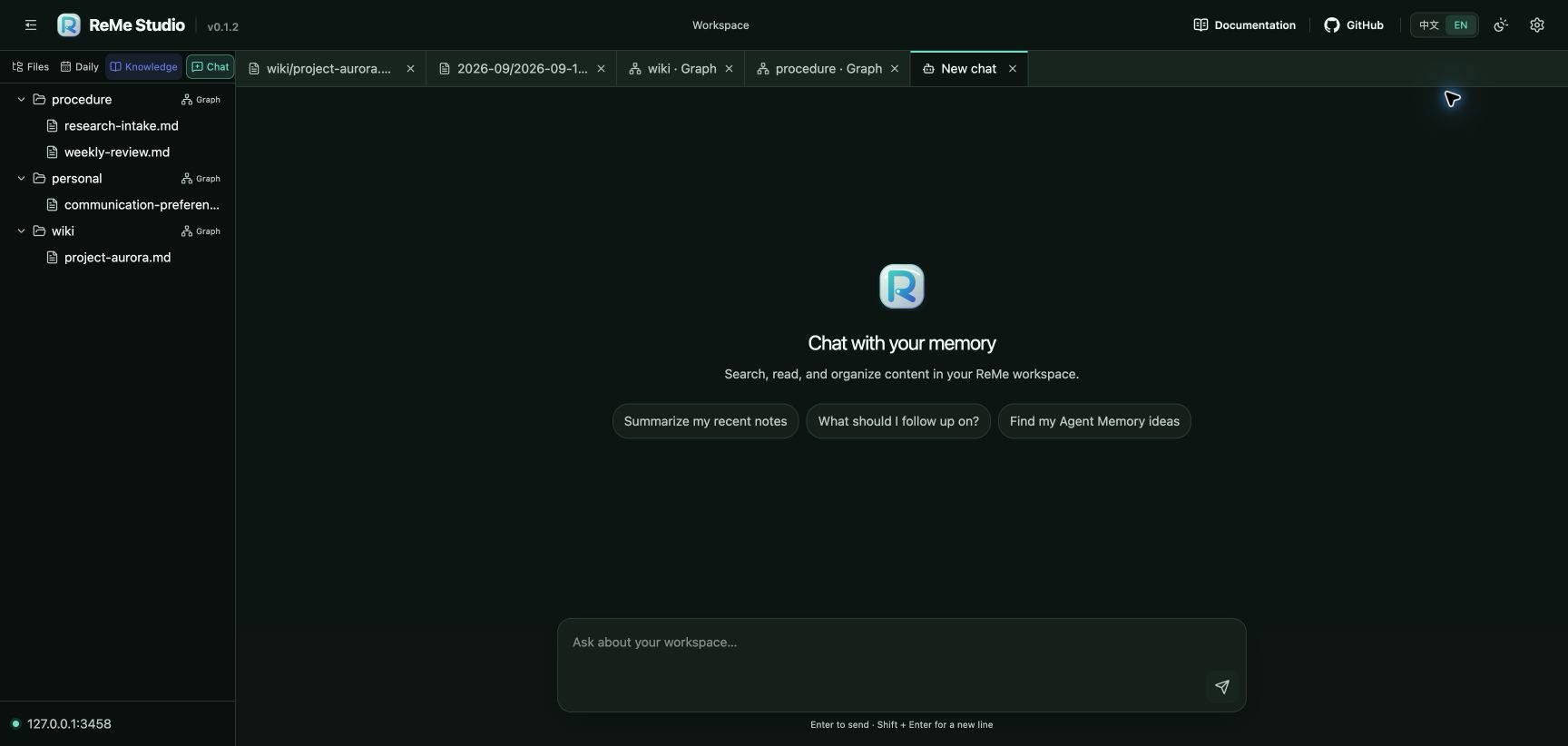
The selected language and appearance are remembered in the browser. Both themes use the same ReMe documentation-site brand palette and retain health, selection, focus, and graph contrast.
Frontend configuration
Copy .env.example to .env.local when persistent local overrides are useful. The vinext/Sites build reads
NEXT_PUBLIC_*; the FastAPI/static build reads the matching VITE_* names.
| Setting | Build | Purpose |
|---|---|---|
NEXT_PUBLIC_REME_API_URL |
vinext/Sites | ReMe HTTP service URL; defaults to http://127.0.0.1:2333 |
NEXT_PUBLIC_REME_WORKSPACE_EXTENSIONS |
vinext/Sites | Comma-separated file extensions shown in the workspace |
VITE_REME_API_URL |
static | ReMe HTTP service URL; use / for same-origin FastAPI hosting |
VITE_REME_WORKSPACE_EXTENSIONS |
static | Static-build counterpart of the workspace extension list |
Markdown and text files are visible by default. To include additional text formats:
NEXT_PUBLIC_REME_WORKSPACE_EXTENSIONS=md,txt,mdx
VITE_REME_WORKSPACE_EXTENSIONS=md,txt,mdx
Only enable formats the browser can safely treat as text. ReMe still enforces workspace containment, allowed paths, encoding checks, size limits, and optimistic modification-time checks on its API boundary.
Develop from source
Start ReMe from the repository root, then run the frontend in another terminal:
# Terminal 1, from the repository root
reme start

# Terminal 2
cd reme_studio
npm install
npm run dev
Open http://localhost:3000. The development frontend connects to http://127.0.0.1:2333 by default. Override it when
needed:
NEXT_PUBLIC_REME_API_URL=http://127.0.0.1:8000 npm run dev
For development from another machine on a controlled network, bind both services explicitly and configure the browser
to use the ReMe host's reachable address (replace 192.168.1.10 as appropriate):
# ReMe repository root, on the host running ReMe
reme start service.host=0.0.0.0

# reme_studio/, on the same host
NEXT_PUBLIC_REME_API_URL=http://192.168.1.10:2333 npm run dev:remote
The ReMe service has no general-purpose authentication. Do not use the remote development command on an untrusted network or expose either endpoint directly to the public internet.
Build the ReMe-hosted static frontend
ReMe can serve Studio from the same FastAPI process as its HTTP API. Build the static variant and restart ReMe:
cd reme_studio
npm ci
npm run build:static
cd ..
reme start
Open http://127.0.0.1:2333. The static build uses same-origin requests by default. For standalone static development:
VITE_REME_API_URL=http://127.0.0.1:2333 npm run dev:static
Use dev:static:remote with a reachable VITE_REME_API_URL for explicit remote static development.
npm run build remains the vinext/Sites deployment build. npm run build:static creates dist-static/ exclusively for
FastAPI and Python/npm package distribution. Change frontend source rather than committing generated distribution files.
Troubleshooting
Studio says the service is unavailable
- Confirm
reme startis still running. - Check the endpoint displayed at the bottom of the navigator.
- For a separately hosted frontend, set the correct
NEXT_PUBLIC_REME_API_URLorVITE_REME_API_URLbefore starting or building it. - Open Settings → Status and use Refresh after correcting the endpoint.
Files are missing from the navigator
- Confirm ReMe was started with the intended
workspace_dir. - Remember that dotfiles and dot-directories are intentionally hidden.
- Check
*_REME_WORKSPACE_EXTENSIONSwhen the file is not Markdown or plain text. - Use Files instead of the focused Daily or Knowledge view.
The graph is empty or incomplete
- Confirm the notes are under
digest/wiki,digest/personal, ordigest/procedure. - Confirm the source files contain wikilinks and have been ingested by ReMe.
- Do not expect Settings → Rebuild index to rescan files or rebuild the graph; it only rebuilds search indexes from existing chunks.
A Markdown save is rejected
The file changed after Studio loaded it. Preserve the newer on-disk version, reopen or refresh the file, reapply the intended edit, and save again. This conflict is deliberate protection against silent data loss.
Chat does not start
File features can work while chat is unavailable. Verify the configured Agent wrapper, model, API key, and provider endpoint in the ReMe backend, then check Settings → Status. Do not place credentials in frontend environment variables.
Validation
Run proportionate checks from reme_studio/:
npm run format:check
npm run lint
npm run build
npm run build:static
npm test
The screenshots above also serve as a visual tour of the supported interface, but automated checks remain the source of truth for frontend behavior.